

ERP solutions
Website, CRM, ERP or WMS? A Practical Guide for Business Owners
Not sure whether your business needs a website, CRM, ERP or WMS? This practical guide helps you understand what each system does and what to ask before paying for software development.
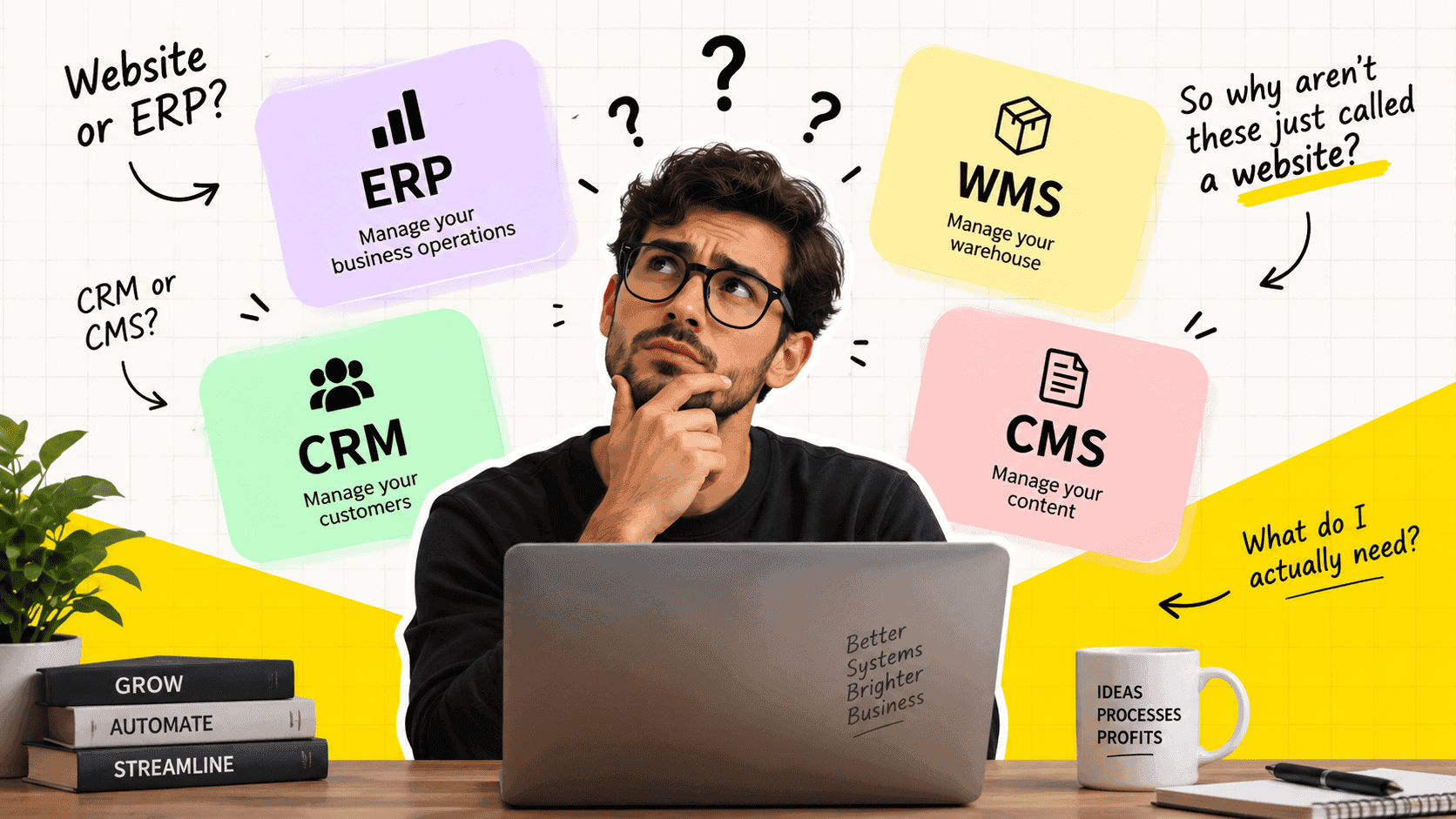
Website, CRM, ERP or WMS? A Practical Guide for Business Owners
Business Software Decision Guide
PDF · 54 KB
Website, CRM, ERP or WMS?
A Practical Guide for Business Owners
- A software company says you need an ERP.
- Another says you need a CRM.
- Someone tells you to look at a WMS.
- You just wanted to improve the way your business works.
So what do all these names actually mean?
More importantly:
How do you know what your business actually needs?
This guide helps you work it out without needing to understand software terminology first.
Start With the Work, Not the Software Name
Before choosing an ERP, CRM, WMS or anything else, describe what you want the system to do.
For example:
"We need customers to submit orders, our sales team to review them, our warehouse to fulfil them, and management to see the status."
That tells a software team much more than:
"We need an ERP."
The software name should come after you understand the workflow.
1. Do You Need a Website?
A website is mainly used to present your business to visitors.
You may need a website if people need to:
- Learn about your company
- View your products or services
- Read your content
- Find your contact details
- Request information
- Submit an enquiry
- Make a basic purchase
Example
A manufacturing company wants to show its products, capabilities, certifications and contact information.
A website may be all it needs.
But imagine the company also wants customers to:
- Log in
- Request quotations
- Place orders
- Download invoices
- Track deliveries
- View previous purchases
Now the project has moved beyond a simple website.
It is becoming a web application.
Ask yourself
Do visitors mainly need to see information, or do they need to perform business tasks?
If they mainly need information, start with a website.
2. Do You Need a CMS?
CMS means Content Management System.
It is software used to manage content.
For example:
- Website pages
- Blog posts
- Images
- Product information
- Landing pages
- Categories
- Authors
A CMS can sit behind a website.
Your visitors see the website.
Your team uses the CMS to manage what appears on it.
Example
Your marketing team wants to publish a new article without asking a developer to edit the website every time.
A CMS can handle that.
Ask yourself
Will our team regularly need to create, edit and publish website content?
If yes, a CMS may be part of the website.
3. Do You Need a CRM?
CRM means Customer Relationship Management.
A CRM focuses on customers, leads and sales activity.
It can help your team manage:
- Leads
- Contacts
- Companies
- Sales opportunities
- Follow-ups
- Calls and meetings
- Customer history
- Sales pipelines
Example
Someone fills out a form on your website.
Instead of the enquiry disappearing into someone's inbox, the CRM can create a lead.
Your sales team can then:
- Contact the lead
- Record the conversation
- Schedule a follow-up
- Move the opportunity through the sales process
- Convert the lead into a customer
Ask yourself
Do we need a structured way to manage leads, customers and sales activity?
If yes, a CRM may be appropriate.
4. Do You Need an ERP?
ERP means Enterprise Resource Planning.
An ERP generally covers a wider part of the business.
It can connect areas such as:
- Purchasing
- Inventory
- Sales orders
- Production
- Finance
- Supply chain
- Operations
- Human resources
The exact scope varies from one ERP product to another.
Example
A customer places an order.
The business needs to:
- Check inventory
- Purchase missing materials
- Schedule production
- Complete the order
- Ship it
- Record the transaction
- Update financial information
An ERP can connect these processes instead of leaving each department with separate information.
Ask yourself
Are several internal business processes connected and dependent on each other?
If yes, an ERP or a collection of connected business systems may be worth considering.
5. Do You Need a WMS?
WMS means Warehouse Management System.
A WMS focuses on the physical movement of goods inside a warehouse.
It can handle processes such as:
Receiving → Putaway → Storage → Picking → Packing → Shipping
Depending on the operation, it may also handle:
- Warehouse locations
- Barcode scanning
- Stock movements
- Picking routes
- Batch or serial tracking
- Receiving
- Packing
- Dispatch
Example
You know that your business has 5,000 units in stock.
But you also need to know:
- Which warehouse?
- Which aisle?
- Which bin?
- When was it received?
- Which order should it be picked for?
- Has it already been allocated?
- Has it been packed?
- Has it been shipped?
That is where warehouse management becomes important.
Ask yourself
Does our business need detailed control over how physical goods move through a warehouse?
If yes, a WMS may be required.
6. Website vs Web Application
This is where many software conversations become confusing.
A website and a web application can both open in a browser.
But they perform different jobs.
A website
Usually helps people:
See → Read → Discover → Contact
A web application
Allows people to:
Log in → Create → Manage → Process → Approve → Track
For example:
A company website might show your products.
A customer portal might allow customers to place orders.
A CRM might allow employees to manage leads.
An ERP might allow employees to manage business operations.
A WMS might allow warehouse workers to receive, pick and ship goods.
All of these can run in a browser.
That does not make them the same thing.
The browser tells you how you access the software. The workflow tells you what the software is.
7. Can One System Be More Than One Thing?
Yes.
This is one of the most important things to understand.
These names are categories of functionality.
They do not necessarily mean you need five completely separate applications.
For example, a custom business platform could contain:
CRM
Sales and customer management.
ERP
Purchasing, orders and inventory.
WMS
Warehouse operations.
CMS
Website content management.
Customer Portal
Customer-facing account and order management.
The right structure depends on the business.
Sometimes several existing products connected together make more sense.
Sometimes one platform makes more sense.
Sometimes a business needs a combination of both.
8. A Simple Decision Guide
Use these questions as a starting point.
People need to learn about our business
→ Website
Our team needs to manage website content
→ CMS
Our sales team needs to manage leads and customers
→ CRM
We need to connect purchasing, inventory, orders and other internal processes
→ ERP
We need detailed control over warehouse operations
→ WMS
Customers need to log in and perform business tasks
→ Web application / Customer portal
We need several of these areas connected
→ Integrated or custom business system
This is a starting point, not a rule.
Your actual workflow determines the right solution.
9. What If a Software Company Says You Need an ERP?
Don't immediately ask:
"Why do I need an ERP?"
Ask:
"Which parts of our business would the ERP handle?"
A good software conversation should explain the connection between the system and your actual work.
For example:
Purchasing
How are purchase requests created and approved?
Inventory
How is stock received and tracked?
Orders
How does a customer order become an internal task?
Production
How is work scheduled and completed?
Finance
What information needs to reach accounting?
Reporting
What does management need to know?
Once you map those processes, the need for an ERP becomes much easier to understand.
10. What If ChatGPT Says You Need a CRM?
The same rule applies.
Don't focus only on the acronym.
Ask:
"What customer process are we trying to manage?"
Maybe your actual requirement is:
Website enquiry → Lead → Sales follow-up → Quotation → Customer → Order
That may involve a CRM.
But perhaps your requirement is:
Customer → Order → Payment → Inventory → Warehouse → Delivery
Now the CRM is only one part of the overall system.
AI tools can help you understand software categories, but they cannot know your business workflow simply from the name of your company.
Your actual processes should come first.
11. Questions to Ask Before Accepting a Software Quote
Before signing a proposal, ask these questions.
1. What exactly are you building?
Don't settle for:
"An ERP."
Ask what modules and workflows are included.
2. Which business problems does it solve?
The proposal should connect features to actual business processes.
3. What happens in the first version?
Understand what is included now and what is planned later.
4. Who will use the system?
Employees, managers, customers, suppliers, drivers and warehouse workers may all need different access.
5. What systems need to connect?
Think about:
- Accounting
- Payment systems
- Shipping
- Existing CRM
- Ecommerce
- Inventory
- Other internal tools
6. What happens after launch?
Ask about:
- Bug fixes
- Maintenance
- Hosting
- Security updates
- New features
- Support
7. Can the system change as our business changes?
Your business will not stay exactly the same.
The software should not become a problem when your workflow changes.
12. Don't Choose the Acronym. Choose the Outcome.
There is no prize for having an ERP instead of a CRM.
And you don't need a WMS simply because another company has one.
The right question is:
What does your business need the software to accomplish?
If your problem is customer management, look at CRM solutions.
If your problem is connected business operations, look at ERP solutions.
If your problem is warehouse execution, look at WMS solutions.
If your problem is website content, look at CMS solutions.
If your business crosses several of these areas, look at how they can work together.
And if existing software forces your business to change the way it operates, custom software may be worth considering.
Before You Talk to a Software Company
Write down these five things:
1. Who will use the system?
Example:
Sales team, warehouse staff, managers and customers.
2. What do they need to do?
Example:
Create orders, approve orders, pick products and track deliveries.
3. What happens today?
Example:
Email → Excel → Phone call → Manual update.
4. What is going wrong?
Example:
Lost information, duplicate work and poor visibility.
5. What should the new system change?
Example:
One connected workflow from order to delivery.
Bring this information to your software company.
You may still end up building an ERP.
You may need a CRM.
You may need a WMS.
Or you may need something that does not fit neatly into any one category.
That is fine.
The name should describe the solution—not decide it.
Quick Reference
| If you need to... | Look at... |
|---|---|
| Present your business online | Website |
| Manage website content | CMS |
| Manage leads and customers | CRM |
| Connect internal business operations | ERP |
| Manage warehouse operations | WMS |
| Let customers perform tasks online | Web application |
| Connect several business processes | Integrated/custom system |
The Bottom Line
You don't need to become a software expert before talking to a development company.
You need to understand your own workflow.
Start with:
Who uses it?
What do they do?
What happens next?
Where does information go?
What is currently difficult or expensive?
Once those questions are clear, the software category becomes much easier to determine.
And that is a better starting point than simply saying:
"I need an ERP."
or
"I need a website."
Frequently asked questions
Quick answers to common questions about this topic.
Related resources
More guides, white papers, and templates worth your time.
Custom ERP vs Off-the-Shelf ERP: A Practical Decision Guide
Compare custom ERP development and packaged ERP software across workflows, customization, integrations, implementation, cost, and long-term control.
Inventory Management System Requirements Template
A practical guide for documenting inventory requirements, warehouse processes, stock movements, purchasing, order fulfillment, and reporting.
CRM Requirements Checklist for SMEs
A practical checklist for defining CRM requirements before selecting or building a customer management system.