

custom ERP
ERP, CRM, WMS or CMS? What Are You Actually Building?
ERP, CRM, WMS and CMS can sound confusing when you're buying software. Learn why these terms exist and how they differ from a normal business website.
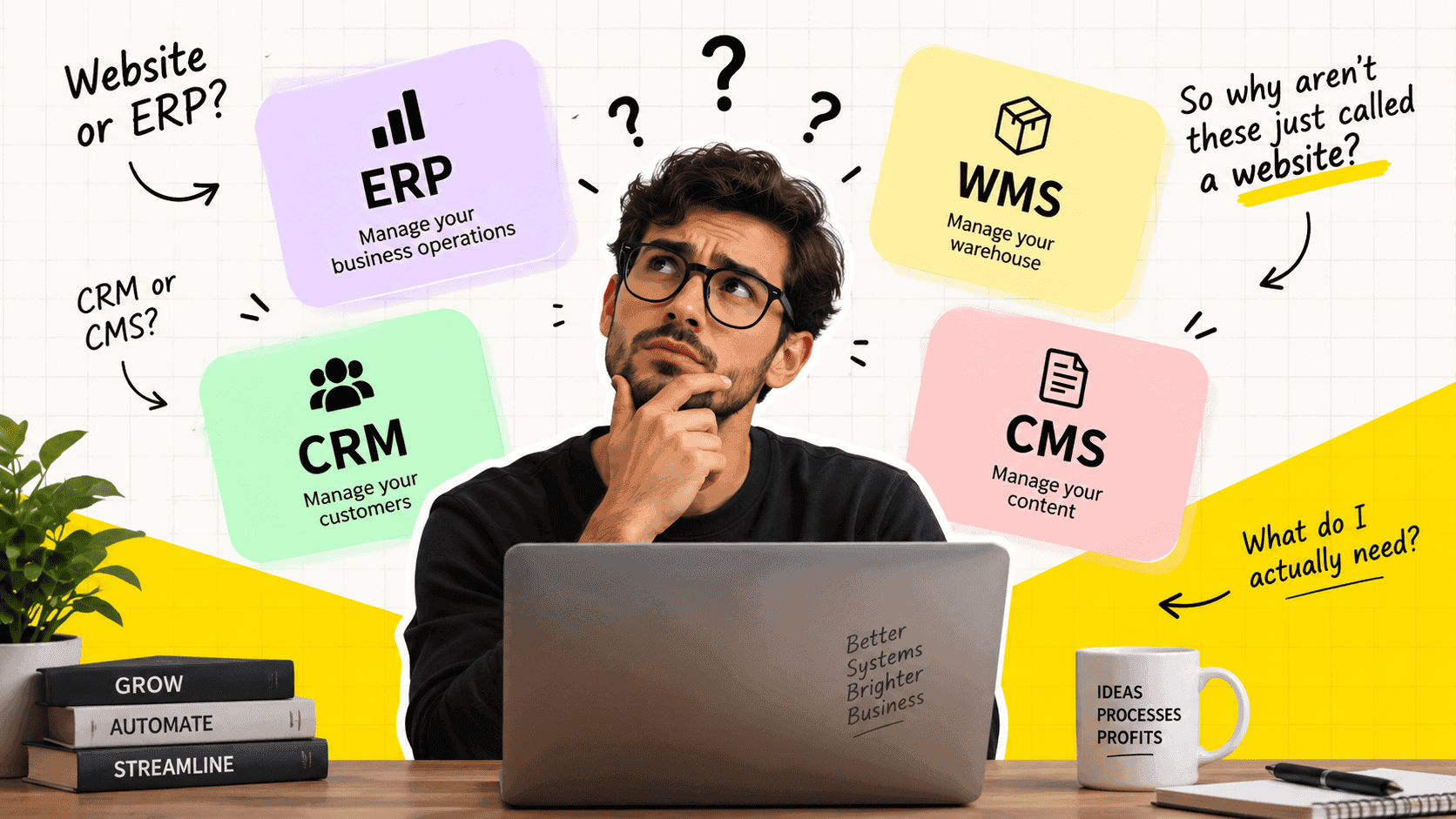
You ask a software company to build a website.
- They come back with a proposal for an ERP.
- Another company says you need a CRM.
- Someone else talks about a WMS.
Then you start wondering:
Why can't they just build me a website?
This confusion is more common than you might think.
The problem is that software companies often use names such as ERP, CRM, WMS and CMS as if everyone already knows what they mean.
But these names are not just technical labels.
They describe what a system is built to do.
And once you understand that, the difference between a website, a CRM, an ERP and other business systems becomes much easier to understand.
So, Is a CRM Just a Website?
Not really.
A website is primarily there to let people see and interact with information about your business.
A CRM is there to help your business manage customer relationships and sales activity.
For example, a normal business website might have:
- Home
- About
- Services
- Products
- Contact
- Blog
A CRM might have:
- Leads
- Contacts
- Companies
- Sales opportunities
- Follow-ups
- Activities
- Customer history
- Sales pipelines
Both can open inside a web browser.
That is where the confusion starts.
The fact that you access something through Chrome does not make it a website.
A CRM can be a web application.
The same is true for an ERP or WMS.
The browser is simply how you access the software.
The important question is:
What does the software allow you to do?
A CMS, for example, is focused on managing content such as pages, articles, images and other website content. A CRM is focused on customer and sales information. An ERP generally connects broader internal business processes.
Then Why Do Software Companies Say "ERP" Instead of "Custom Website"?
Because "website" tells you very little about the actual software.
Imagine a manufacturing company says:
"We need a system where employees can create purchase orders, receive materials, manage stock, plan production, track orders and see reports."
Calling that a website would not tell you much about the project.
It is a business system.
More specifically, it could contain ERP functionality because it is connecting several internal business processes.
An ERP is generally intended to bring multiple business functions into a connected system rather than treating each department as a completely separate application.
Now compare that with:
"We need a website where customers can see our products and contact us."
That's a website.
The difference isn't whether both are built with JavaScript.
The difference is the job the software performs.
Think About It This Way
Instead of asking:
"Is this a website or software?"
Ask:
"What is this system responsible for?"
That one question makes the terminology much easier.
| System | Mainly responsible for |
|---|---|
| CMS | Managing content |
| CRM | Managing customers and sales |
| ERP | Connecting internal business operations |
| WMS | Managing warehouse operations |
| Website | Presenting information and helping visitors interact with a business |
These categories can overlap.
A business can have a website with a CMS.
The website can send leads to a CRM.
The CRM can connect with an ERP.
The ERP can connect with a WMS.
And all of them can be accessed through a browser.
So they aren't necessarily competing definitions.
They can be different parts of the same business software environment.
What Does CRM Actually Mean?
CRM stands for Customer Relationship Management.
The name is fairly descriptive.
A CRM is concerned with the relationship between your business and its customers or potential customers.
Suppose someone fills out a form on your website.
What happens next?
If you are running a small business, perhaps someone receives an email.
They copy the person's information somewhere.
Someone follows up.
Another person makes a note.
A week later, someone asks:
"Did we ever speak to this customer?"
A CRM is designed to give the business a system for handling that process.
Instead of simply storing a name and email address, it can keep track of the customer, conversations, opportunities, activities and the stage of a sale.
So:
Website: "Here is our business."
CRM: "Here is what is happening with the people who are interested in our business."
That is a very different job.
Then What Is an ERP?
ERP stands for Enterprise Resource Planning.
The term comes from a much broader idea: managing and connecting the resources and processes that keep a business running.
Think about what happens after a customer places an order.
You may need to:
- Check stock
- Purchase materials
- Create or schedule production
- Prepare the order
- Ship it
- Create an invoice
- Record the transaction
- Update reports
If every department keeps its own information, the business can quickly end up with different versions of the same information.
An ERP attempts to connect these processes so that different parts of the business work from connected information.
This is why ERP software is often associated with areas such as:
- Finance
- Purchasing
- Inventory
- Sales orders
- Production
- Supply chain
- Human resources
- Logistics
Not every ERP contains all of these.
The exact scope depends on the product.
But the basic idea remains:
An ERP deals with the wider operation of the business, rather than one isolated activity.
And What About WMS?
WMS stands for Warehouse Management System.
The clue is in the name.
It focuses specifically on what happens inside a warehouse.
For example:
A truck arrives.
Someone needs to receive the goods.
The goods need to be identified.
They need to be placed somewhere.
Later, someone needs to find them.
An order comes in.
Someone needs to pick the correct items.
Then pack them.
Then ship them.
A WMS is designed around those warehouse activities.
This is different from simply knowing that you have 500 units of a product.
Inventory tells you how much you have.
Warehouse management can deal with where it is, how it moves through the warehouse, and what workers need to do with it.
That distinction becomes particularly important as warehouse operations become more complex.
So Is WMS Part of ERP?
It can be.
This is where these terms start becoming confusing again.
An ERP may include warehouse functionality.
A company may also use a separate WMS and connect it to its ERP.
There is no rule saying every business must have one separate application for every acronym.
In fact, modern business software frequently overlaps.
A company might use:
Website → CRM → ERP → WMS
Or it might use a single platform containing functionality from several of these areas.
The names describe the responsibility of the system, not necessarily how many applications you have installed.
What About CMS?
CMS stands for Content Management System.
This one is usually easier to understand.
A CMS helps a business manage content without needing a developer to manually change every page.
For example:
- Website pages
- Blog posts
- Images
- Product information
- Landing pages
- Authors
- Categories
If you use a CMS, your marketing or content team can often update the website from an administration panel.
So a CMS can sit behind a website.
But the CMS and the website aren't necessarily the same thing.
The website is what visitors see.
The CMS is the system your team uses to manage the content.
That distinction is especially useful when discussing custom websites.
The Same Website Can Be Very Different Software
This is where software quotes can become confusing.
Two companies can both say:
"We will build your website."
But they may be talking about completely different projects.
Website A
A five-page company website.
Visitors can:
- Read about the company
- View services
- Read articles
- Submit a contact form
Website B
A customer portal.
Customers can:
- Create accounts
- Place orders
- View previous orders
- Download invoices
- Track deliveries
- Manage their information
Both may technically be websites.
But Website B is really a web application.
It has users, accounts, data, permissions and business workflows.
That difference affects the amount of work involved.
This Is Why Software Quotes Can Be So Different
Imagine two businesses asking for a "website."
The first needs:
Home page + About + Services + Contact.
The second needs:
Login + customer accounts + product catalogue + quotations + orders + payments + invoices + delivery tracking + admin dashboard.
Calling both of these "websites" hides the important part.
The second project is not simply about designing pages.
It requires business logic.
It needs data.
It needs user accounts.
It needs permissions.
It needs workflows.
It needs administration.
It may need integrations with other systems.
That is why a software company may quote the second project very differently from the first.
The word website describes the place where the software is accessed.
It does not describe everything the software does.
ERP, CRM and WMS Are Not Programming Languages
Another common misunderstanding is thinking that ERP, CRM or WMS refers to a particular technology.
It doesn't.
You can build a CRM using many different technologies.
You can build an ERP as a web application.
You can have a WMS running on computers, tablets or mobile devices.
You can build a CMS into a website.
The acronym describes the purpose of the system, not the programming language used to build it.
This is an important distinction when talking to software developers.
You don't need to know whether your system should be built with one framework or another before explaining your business problem.
You need to explain what the business needs the software to do.
What If Your Business Needs More Than One?
This is actually very common.
Consider a company that sells physical products.
It might have:
Website
For customers to discover products and contact the company.
CMS
For the marketing team to manage website content.
CRM
For managing leads and customer relationships.
ERP
For orders, purchasing, inventory, finance and other internal processes.
WMS
For detailed warehouse operations.
These systems can work separately.
They can also be connected.
For example:
A customer places an order on the website.
The order enters the business system.
The CRM records the customer activity.
The ERP handles the order and financial side.
The WMS receives the warehouse work.
The warehouse ships the order.
The customer receives an update.
From the customer's perspective, this may feel like one simple process.
Behind the scenes, several systems may be working together.
So What Should You Ask a Software Company?
Instead of asking:
"Do I need an ERP or a website?"
Ask:
What does the system need to do?
Then describe the actual workflow.
For example:
"A customer should be able to request a quote, our sales team should review it, the customer should approve it, the order should be created, stock should be checked, and the warehouse should receive the fulfilment request."
That description is much more useful to a software team than:
"I need a website with an ERP."
From the workflow, the development team can determine what type of system or combination of systems makes sense.
You don't need to know the acronym first.
The Acronym Is Not the Product
This is probably the most important point.
ERP isn't a product by itself.
CRM isn't a product by itself.
WMS isn't a product by itself.
They are categories.
There are thousands of products that can be described as CRM or ERP software, and they can be very different from each other.
The real question is what a particular product does for your business.
That is also why simply searching for "the best ERP" or "the best CRM" isn't always enough.
You first need to understand the work you are trying to improve.
When You Should Consider Custom Software
Existing ERP, CRM and WMS products can be excellent choices.
You do not need custom software simply because your business has a complicated process.
If an existing product already handles your workflow well, buying it may be the sensible option.
Custom development becomes more relevant when your business has requirements that existing products don't handle well.
For example:
- Your workflow is specific to your industry
- Your processes are different from the standard approach
- You need several systems to work together
- Your business has a customer-facing portal
- Your internal operations need specialised workflows
- The software itself is part of your competitive advantage
In those situations, the question is no longer:
"Which website should we buy?"
It becomes:
"What software should we build around the way our business actually works?"
That is a much more useful question.
One Last Way to Think About It
Forget the acronyms for a moment.
Think about the work.
If your business needs somewhere for people to read about you, you probably need a website.
If your team needs somewhere to manage content, you may need a CMS.
If your sales team needs somewhere to manage customers and opportunities, you may need a CRM.
If your business needs to connect purchasing, inventory, orders, finance and other operations, you may be looking at an ERP.
If your warehouse needs software to control receiving, storage, picking and shipping, you may need a WMS.
And if your requirements cross several of these areas, you may need several connected systems—or one custom platform that brings the required workflows together.
The important thing is not knowing every acronym.
It is understanding what the software needs to do.
Once you know that, the acronym becomes much less intimidating.
Final Thought
The next time someone tells you that your business needs an ERP, CRM, WMS or CMS, don't worry about memorising the acronym.
Ask one question:
"What exactly will this system help my business do?"
That answer is more important than the name.
And if you are talking to a software development team, describe your actual workflow before deciding what to call the software.
The right system should come from the way your business works—not the other way around.
Frequently asked questions
Quick answers to common questions about this topic.
Related articles
Continue exploring systems, architecture, and automation topics.